Here's a scenario you've probably lived through: you need to show someone how something works. Maybe it's a bug you found, a feature you built, or a workflow you're documenting for a new teammate. So you hit record, fumble through the demo, and end up with a flat, hard-to-follow video where the viewer has to squint at tiny UI elements on a full-screen capture.
The recording technically captures what happened. But it doesn't communicate it.
That gap — between capturing and communicating — is what screenrecorder.one exists to close.
The problem isn't recording. It's everything after.
Your operating system can already record your screen. Chrome can do it. There are dozens of free tools that will hand you a raw video file. Recording is a solved problem.
What isn't solved is making that recording watchable. When you watch a polished product demo or a well-made tutorial, the difference is obvious: the camera zooms into the button being clicked, sensitive info is blurred out, the dead air is trimmed. It feels intentional. Professional. Easy to follow.
Until now, getting that result meant one of two things:
- Pay $89+ for Screen Studio — a Mac-only desktop app that does cinematic zoom beautifully, but locks you into one platform and one price point.
- Learn a video editor — import your recording into Premiere or DaVinci Resolve, manually keyframe zoom animations, export, and wonder why a 30-second clip just took you 20 minutes.
Most people do neither. They send the raw recording and hope for the best.
So I built something different.
screenrecorder.one is a free, browser-based screen recorder with three editing features baked in: zoom, blur, and cut.
That's it. No timeline with 47 tracks. No effects library. No learning curve.
Here's the workflow:
Record. Hit the red button. Pick a tab, window, or your full screen. Record with mic audio, system audio, or both.
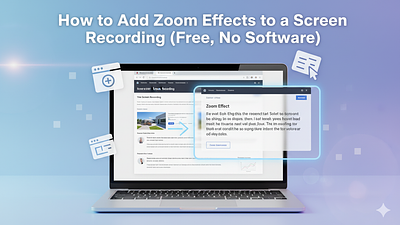
Edit. Your recording appears in the editor. Click anywhere on the video to drop a zoom point — we animate a smooth, cinematic zoom-in automatically. Drag across an area to blur it (passwords, emails, Slack DMs, whatever). Trim out the parts where you said "um" or clicked the wrong thing.
Export. We render a clean MP4 with all your edits baked in. Download it. Share it. Done.
The whole thing takes about 60 seconds for a typical recording.
Why these three features and nothing else
Every feature in a product is a decision about what matters. Here's why zoom, blur, and cut made the cut — and why nothing else did.
Zoom is the single biggest upgrade you can make to a screen recording. It transforms a passive "watch me move my mouse around" video into a guided experience. When you zoom into the button you're about to click, you're telling the viewer: look here, this is what matters. It's the difference between a surveillance camera and a cinematographer.
Blur solves the #1 reason people hesitate before sharing a recording. There's always something on screen you don't want visible — a Slack notification, a password field, a coworker's name, your embarrassing number of open tabs. Being able to drag-to-blur before exporting removes that friction entirely.
Cut handles the reality that nobody records a perfect take. You pause to think. You click the wrong menu. Your dog barks. Trimming those moments out is table stakes for a usable recording.
Everything else — annotations, transitions, background music, webcam overlays — is noise for the core use case. If you need those, there are great tools that do them. We'd rather do three things exceptionally well than ten things adequately.
Free means free
There's no paywall hiding the good features. You can record, zoom, blur, cut, and export MP4s without creating an account, without installing anything, and without a time-limited trial.
We do add a small watermark on free exports. That's it. That's the tradeoff.
We're building a Pro tier (it's coming soon — you can join the waitlist) that will remove the watermark, support longer recordings, 4K export, custom branding, and priority rendering. But the core tool is free forever.
Your recordings never leave your browser
This matters more than most people think. When you record your screen, you're often capturing sensitive information — internal tools, customer data, financial dashboards, private messages.
With screenrecorder.one, your raw recording stays in your browser. It never touches our servers. The only time data leaves your machine is when you choose to export, at which point we render the final MP4 with your edits applied. That rendered file is available for download and we delete it from our servers within 24 hours.
No account required means no data profile. No cloud storage means no wondering who else can see your recordings.
Who is this for?
Anyone who records their screen regularly and wishes the result looked better. But specifically:
Product and developer teams who send screen recordings in bug reports, PRs, and Slack threads dozens of times a week. Zoom into the error message. Blur the staging credentials. Cut the 15 seconds where you were looking for the right tab.
Founders and marketers who need product demos that don't look like they were made in 2012. A recording with smooth zoom effects on key interactions looks like you hired a video editor. You didn't. It took you a minute.
Educators and course creators who want their tutorials to guide the viewer's eye. When you're walking someone through a complex interface, zooming into each step as you explain it makes the difference between "I'm lost" and "I get it."
Anyone who posts screen content on social media. Raw screen recordings on Twitter or LinkedIn get scrolled past. A recording with cinematic zooms stops the thumb.
What's next
This is day one. The product works and it's free and you can try it right now. But we're just getting started.
On the roadmap: longer recording support, 4K export, keyboard shortcut workflows for power users, team sharing, and a few things we're not ready to talk about yet.
If you record your screen more than a couple times a week, give it a try. It takes 10 seconds to see the difference a zoom effect makes.
And if you have feedback, ideas, or just want to say hi — I'm building this in public as an indie developer and I genuinely want to hear from you.